
Download Jaeves – AI Writing Assistant for Marketers
Overview
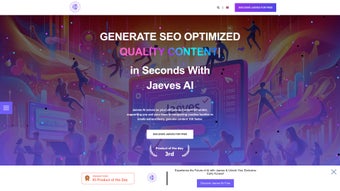
Jaeves is a web‑based AI writing assistant built specifically for modern marketers who need to produce high‑quality copy at speed. By leveraging advanced natural‑language processing, Jaeves helps you generate blog posts, ad headlines, email newsletters, social‑media captions, and landing‑page copy that not only reads well but also aligns with your brand voice and SEO goals. The platform’s intuitive dashboard removes the friction of traditional content creation, allowing you to focus on strategic planning rather than wrestling with writer’s block.
Whether you’re a solo entrepreneur, a growing agency, or an enterprise marketing team, Jaeves offers a full‑version suite that includes automated content generation, keyword optimization, and a library of customizable templates. The tool is designed to keep messaging consistent across all channels, improve conversion rates, and ultimately boost your online presence. Because Jaeves runs entirely in the browser, you get the security of cloud‑based updates, automatic backups, and the freedom to work from any device without installing bulky software.
Key Features That Power Your Campaigns
- AI‑Driven Content Generator: Produce paragraphs, headlines, or full‑length articles in seconds by feeding simple prompts or briefs.
- Keyword Optimization Engine: Integrated SEO analysis suggests primary and secondary keywords, density recommendations, and LSI terms.
- Customizable Templates: Choose from pre‑built frameworks for email sequences, ad copy, product descriptions, and more; edit them to match your tone.
- Brand Voice Consistency: Train Jaeves with your style guide; the AI learns to mimic your preferred phrasing, vocabulary, and formality level.
- Multi‑Channel Export: Export content directly to WordPress, HubSpot, Mailchimp, or download as .docx, .pdf, and plain‑text files.
- Real‑Time Collaboration: Invite teammates to review, comment, and edit drafts within the same workspace, reducing hand‑off delays.
- Performance Analytics: Track click‑through rates, engagement metrics, and conversion data for each piece of generated copy.
- Secure Cloud Storage: All projects are saved automatically with end‑to‑end encryption, meeting GDPR and CCPA standards.
Installation & Usage – Getting Started in Minutes
Because Jaeves is a pure SaaS solution, there is no traditional installation process. To start, visit the official website, click the “Sign Up Free” button, and create an account using your email or a single‑sign‑on (SSO) option such as Google or Microsoft. After confirming your email, you’ll be taken to the dashboard where a short onboarding wizard walks you through setting up your first project. The wizard asks for basic information like industry, target audience, and primary goals, then suggests a handful of template categories that match your needs.
Once your workspace is ready, you can begin generating copy by entering a brief description or selecting a template. For example, to write a Facebook ad, choose the “Social Media Ad” template, type a product name, a value proposition, and any required call‑to‑action, then hit “Generate.” Within seconds, Jaeves delivers three variations, each optimized for engagement and keyword relevance. You can edit any suggestion in place, add your own notes, or ask the AI for a rewrite with a different tone (e.g., “more playful” or “formal”).
All changes are saved automatically, and you can export the final version to your preferred marketing platform using built‑in integrations or by downloading a file. The platform also offers a “History” tab where you can revisit previous drafts, compare performance data, and restore earlier versions if needed. Because the service updates continuously on the server side, you always have access to the latest AI models, security patches, and feature enhancements without manual downloads.
Compatibility, Pros & Cons
Jaeves is a web‑based application, meaning it works on any modern browser (Chrome, Firefox, Edge, Safari) across Windows, macOS, Linux, Android, and iOS devices. No additional plugins or extensions are required, and the responsive design ensures a smooth experience on tablets and smartphones.
Pros
- Instant AI‑generated copy saves hours of manual writing.
- Built‑in SEO suggestions improve search visibility without extra tools.
- Customizable templates accelerate campaign rollout.
- Collaboration features reduce bottlenecks between copywriters and marketers.
- Secure cloud storage keeps your content safe and compliant.
- Regular automatic updates keep the AI model cutting‑edge.
Cons
- Reliance on an internet connection; offline work is not supported.
- Initial learning curve for users unfamiliar with AI prompt engineering.
- Advanced analytics are only available on higher‑tier plans.
- Template library, while extensive, may need additional customization for niche industries.
Frequently Asked Questions
Is Jaeves free to use?
Jaeves offers a free trial with limited generation credits. After the trial, you can choose from monthly or annual subscription plans that unlock unlimited AI output, premium templates, and advanced analytics.
Can I train Jaeves to match my brand voice?
Yes. During onboarding, you can upload style guides, sample copy, or set tone preferences (e.g., friendly, professional). Jaeves then fine‑tunes its suggestions to align with those parameters.
What security measures protect my data?
All data is encrypted in transit (TLS 1.3) and at rest (AES‑256). The platform complies with GDPR, CCPA, and ISO 27001 standards, and you can enable two‑factor authentication for added protection.
Does Jaeves integrate with my existing marketing stack?
Jaeves provides native integrations with popular tools like WordPress, HubSpot, Mailchimp, and Zapier. You can also export content in multiple formats for manual upload.
How accurate are the SEO recommendations?
The keyword engine is powered by real‑time search data from major engines and includes on‑page best practices. While it offers strong guidance, we recommend a final review by an SEO specialist for competitive niches.
Conclusion – Boost Your Marketing Efficiency Today
Jaeves positions itself as a powerful ally for any marketer seeking to accelerate content production without sacrificing quality. Its AI‑driven copy generation, coupled with built‑in SEO tools and brand‑voice customization, creates a seamless workflow that frees up time for higher‑level strategy. The web‑based nature ensures you can work from any device, while secure cloud storage keeps your assets safe and compliant. Though an internet connection is required and advanced analytics are gated behind premium tiers, the overall value proposition makes Jaeves a worthwhile investment for businesses aiming to scale their messaging quickly.
Ready to experience faster, smarter copy creation? Download Jaeves now and start your free trial. Transform the way you write, optimize, and publish—your audience—and your ROI will thank you.
Pros: rapid AI copy, SEO integration, brand‑voice training, cloud security.
Cons: requires internet, premium analytics cost.






